· 06/27/2025 ·
Manage device baselines
When a device is first registered with Intel® Transparent Supply Chain (Intel TSC), it is assigned a baseline that reflects its current state. This baseline information is stored in a Device Configuration Data (DCD) file. The DCD file contains hardware and software configuration data, security settings, and the operational state of the device. This baseline serves as a standard for future comparisons, enabling the detection of any deviations. When a device is updated, for example, hardware or software is changed, its baseline must be updated to ensure its reference point for its security and operational state accurately reflects its current configuration. The instructions on this page describe how to update and create a baseline for devices.
Note
To update or create a device's baseline, the device's motherboard must successfully boot into an operating system with a TPM 2.0 module installed and enabled in the BIOS settings. If the motherboard lacks a TPM 2.0 module or the module is not enabled in the BIOS, you will be unable to update or create a baseline for the device.
Update a device's baseline
If the device's hardware or software configuration changes, the baseline needs to be updated to accurately reflect these changes. Follow the instructions below to update device baselines.
Log in to Intel TSC.
Select Reports and metrics.
Filter the table by UNMATCHED to display devices that need to have their baselines updated.
Choose from the following:
- To update a single device's baseline, select Update baseline.
- To update the baselines of multiple devices, select the checkboxes next to the devices that need their baselines updated and then select UPDATE BASELINE FOR SELECTED DEVICES.
- To update the baselines for all the devices in the table, select the checkbox next to Date, then select UPDATE BASELINE FOR SELECTED DEVICES.
The Update baseline for selected devices page is displayed.
Select UPDATE BASELINE.
The Reports and metrics page displays the devices with a status of Success.
Matched Plus
A device with a Matched Plus status indicates that the device's current state matches the established baseline, confirming that no components have been modified or removed. However, it also indicates that one or more components have been added to the device since the baseline was established. This status suggests that while the original configuration of the device remains intact, there have been additions to its hardware or software components that were not part of the initial baseline.
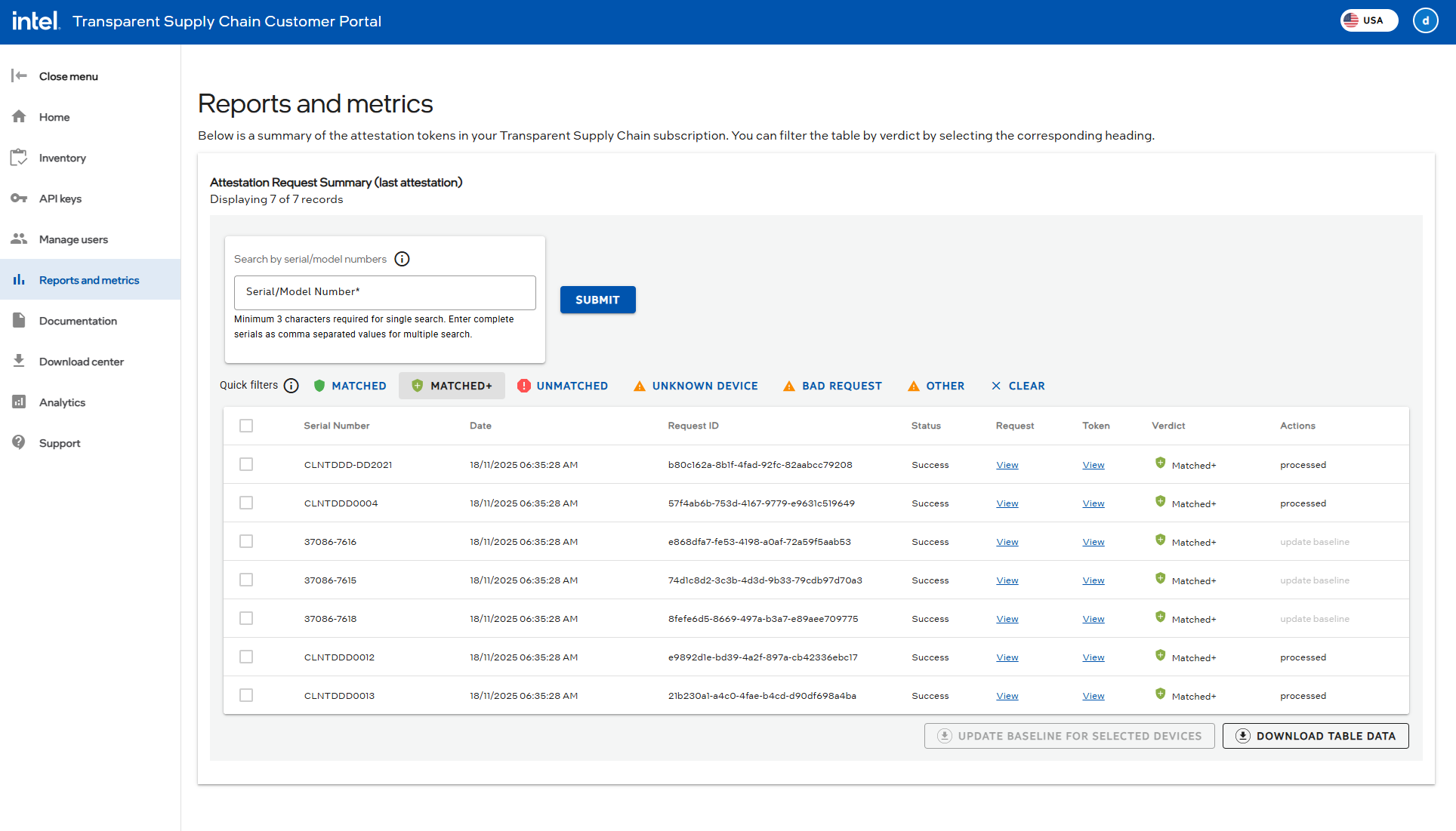
Baseline updates are necessary to ensure that the baseline accurately reflects the current state of the device, including any new components that have been added. By updating the baseline, you can maintain an accurate reference point for future comparisons and ensure that any deviations or anomalies are correctly identified.
Create a baseline
Setting a baseline for a device using Intel® Platform Lifecycle Assurance (Intel PLA) involves establishing a reference point for the device's security and operational state. This baseline acts as a standard for comparing future device states to identify deviations or anomalies. By creating a baseline, Intel PLA helps maintain the integrity and security of the device throughout its lifecycle, ensuring it remains protected against potential threats. Only devices labeled as Unknown Device will trigger the Create baseline action.
Before creating a baseline, you must acquire a license. Available license durations are 12, 24, or 36 months. The Create baseline action allows you to choose and assign one of these time-bound licenses to the device.
Log in to Intel TSC.
Select Reports and metrics.
The Reports and metrics page displays the devices being tracked by your TSC/PLA subscription.
Filter the table by UNMATCHED to display devices that need to have their baselines created.
Choose from the following:
- To create a baseline for a single device, select Create baseline, then choose a license from the available options and assign it to the device.
- To create the baselines for multiple devices, select the checkboxes next to the devices that need their baselines created and select CREATE BASELINE FOR SELECTED DEVICES, then choose licenses from the available options and assign them to the selected devices.
- To create baselines for all the devices in the table, select the checkbox next to Date, then select CREATE BASELINE FOR SELECTED DEVICES, then choose licenses from the available options and assign them to the devices.
Select Create baseline to confirm and create the baselines.
The next time an attestation is run against the devices, it will show a status of success.